


1
Choose your apps
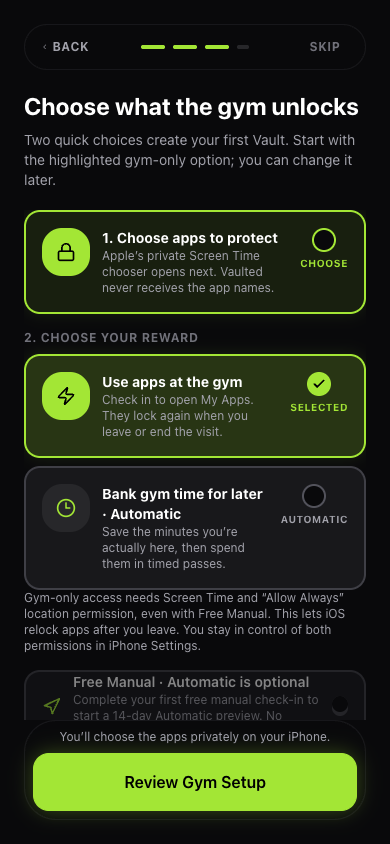
Use Apple’s private Screen Time picker to choose the iPhone apps you want to put behind your gym rule. Vaulted does not receive their names.
Gym accountability for iPhone · Available in the US
Make showing up the rule for your screen time. Open your chosen apps at the gym with a free manual check-in. Or bank gym time to use later with Automatic.
No account. No camera proof. Works alongside your workout program. Available on the US App Store.
App marks are examples only. Vaulted is not affiliated with these services.
Inside Vaulted
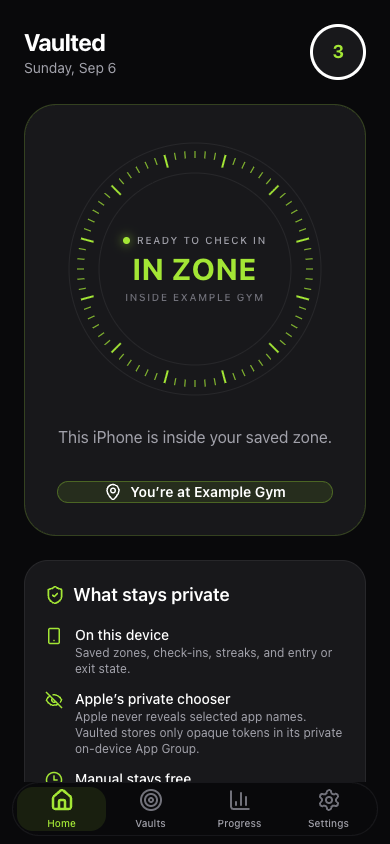
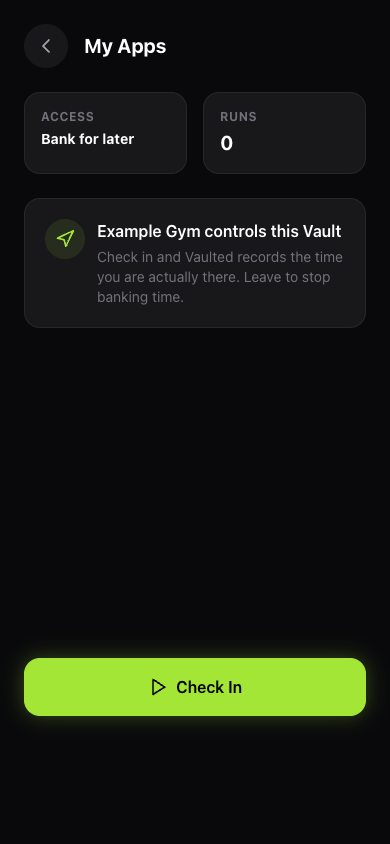
Choose how your apps open, save your gym, and keep the next step in view.
Development previews with sample data. iPhone setup includes Apple’s permissions and private app picker.
How it works
A Vault is a rule for the apps you choose. Start with gym-only access, or use Automatic to save earned minutes for later.
Use Apple’s private Screen Time picker to choose the iPhone apps you want to put behind your gym rule. Vaulted does not receive their names.
Save a place and check in manually when you arrive. Gym-only app access needs Always location permission so iOS can re-lock on exit, including in Free.
Gym-only mode opens your selected apps during the visit and re-locks on exit or manual end. Automatic’s Earned Time mode adds later Reward Passes. Turn on Time Bank to save up to 10 elapsed minutes per completed Vault session, with up to 300 minutes held in the bank.
What Vaulted verifies
Vaulted checks your iPhone’s reported location and records elapsed check-in time. It does not verify exercise, reps, form, effort, or a prescribed workout duration. You can end a visit yourself. GPS can drift and iOS can delay events; manual controls help you recover.
The idea behind the rule
Pair something you want now with something you mean to do. Research has explored this approach by pairing audiobooks with exercise.
Read the peer-reviewed studyThe study did not test Vaulted, Screen Time, or workout quality. It informs the idea; it does not establish results for this app. Try the rule with the workout program you already follow.
Manual vs Automatic
Start with one manual gym Vault. Your one-time 14-day Automatic preview starts when you complete a valid manual check-in after Vaulted confirms your Free status. If that status is still loading when you finish, complete another check-in after it loads. The preview ends without charging you—no card, no cancellation.
Make your gym the place your selected apps open.
Add arrival automation, schedules, and time to use later.
You choose when to upgrade. Free means you open Vaulted to check in. Automatic adds arrival triggers, scheduled access, and the option to bank gym time. Your Free manual Vault still works after the preview ends.
One-time, restorable purchase—no subscription. Apple’s purchase sheet shows your localized price before you confirm.
Private by design
Choose your apps with Apple, keep your place checks on your iPhone, and control optional analytics yourself. No account is needed.
Place checks happen on-device. Gym-only access uses Always location permission to re-lock after exit; Automatic Place also uses it to respond to arrival.
You choose apps in Apple’s Screen Time picker. Apple gives Vaulted private references to those choices, without revealing their names to Vaulted.
Website and in-app analytics stay off until you allow them. No ads or cross-app tracking.
Straight answers
No. You choose which apps follow your gym rule. Use them during your gym visit, or choose Automatic’s Earned Time mode to bank minutes for later.
Vaulted uses your saved place to check arrival and exit, rather than building a server-side location history. Gym-only app access requires Always permission to re-lock after you leave, even with manual check-in. Automatic Place also uses background arrival events. Earned Time manual checks use foreground location. Precise location is not sent to Vaulted’s servers.
Your free manual gym Vault and private Apple app selection keep working. You open Vaulted to check in. Automatic arrival, schedules, and time banking require the Automatic preview or purchase.
No. Keep the program, trainer, or workout app you already use. Vaulted is about showing up and managing selected apps; it does not prescribe or log workouts.
Vaulted is available on the US App Store for iPhone with iOS 16 or later. Apple Screen Time authorization is required. Android availability has not been announced.
Yes. Indoor GPS can drift and Apple can delay system events. Vaulted shows manual controls and recovery steps instead of pretending phone automation is infallible.
Available on the US App Store
Start with Free Manual: one place, one Vault, and your chosen apps. Download Vaulted for iPhone, or ask us about your setup.
We retired the waitlist. No email signup or purchase is taken on this site.